
Gallery details

This project builds a deep learning network to identify 102 different types of flowers. The dataset was obtained from the 102 category flowers dataset. While this specific example is used on this data, this model can be trained on any set of labeled images. Below are a few examples of the variability between classes and within the classes themselves.
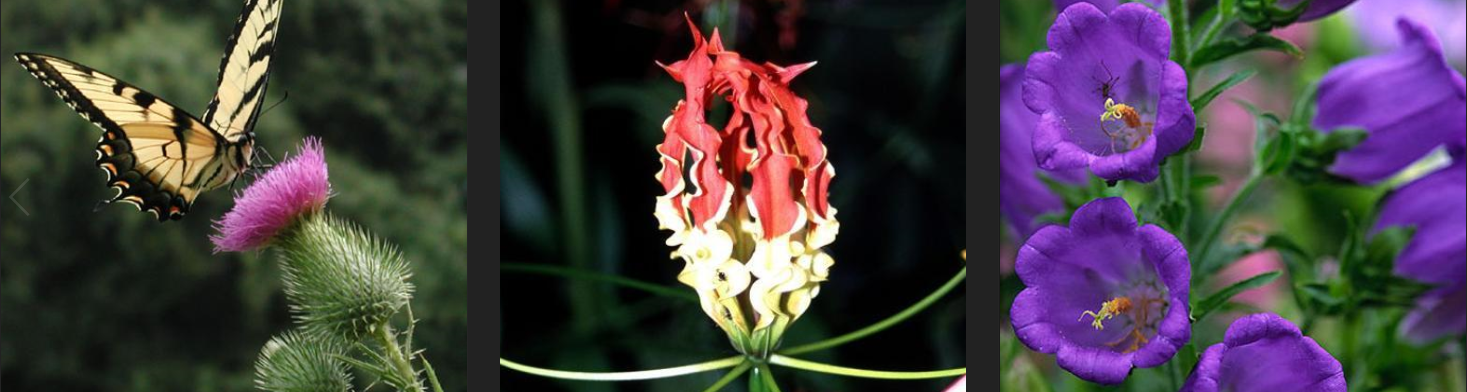
CLASS VARIABILITY BETWEEN CLASSES-
The 3 images below are: (Spear Thistle) (Fire Lily) (Cantenbury Bells)
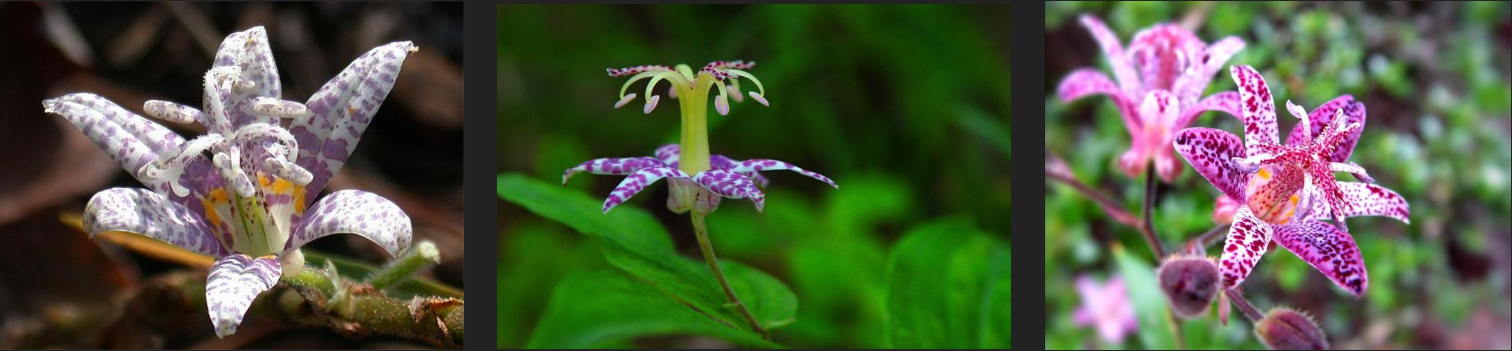
CLASS VARIABILITY WITHIN CLASSES-
Each of the 3 images below is a Toad Lily
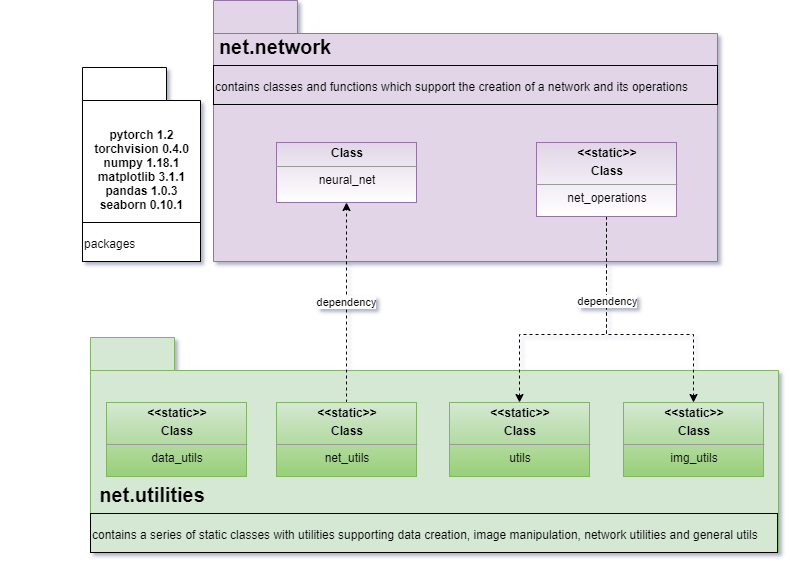
ARCHITECTURE-
Click for Github – Project Source Code
1.DEVELOPING THE APPLICATION –
The project is broken down into multiple steps:
- Load and preprocess the image dataset
- Train the image classifier on the dataset
- Use the trained classifier to predict image content
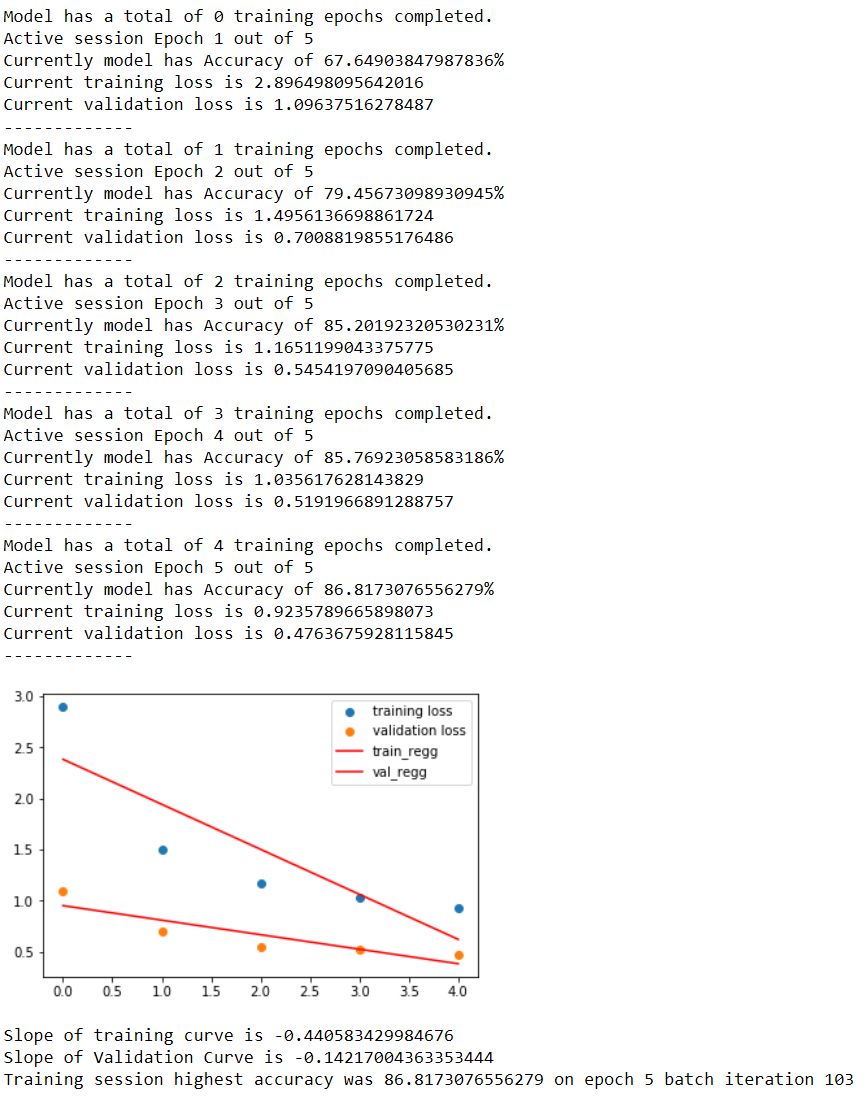
.Build and train network –
Building and training the classifier:
- Load a pre-trained network
- Define a new, untrained feed-forward network as a classifier, choose activation functions and dropouts
- Train the classifier layer using backpropagation using the pre-trained network to get the features
- Track the loss and accuracy on the validation set to determine the best hyperparameters
.Test the network-
[snippet slug=classifier-test lang=python] [snippet slug=classifier-get-results lang=python]
.Plot Results-
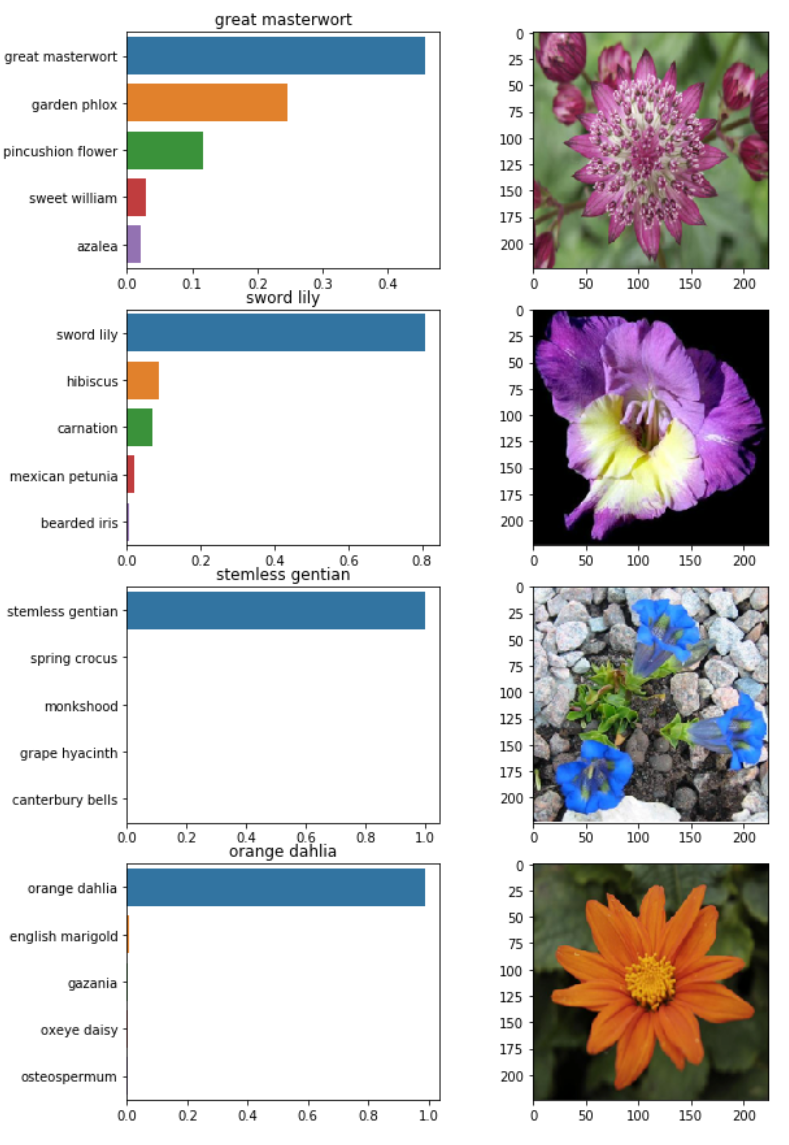
To visualize more than 1 result at a time I added this function, displays a grid of n results with image and prediction
2.COMMAND LINE APPLICATION SPECIFICATIONS –
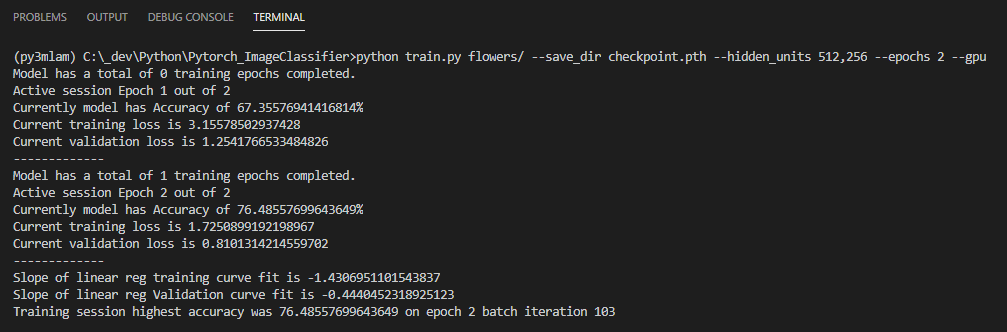
The project submission must include at least two files train.py and predict.py. The first file, train.py, will train a new network on a dataset and save the model as a checkpoint. The second file, predict.py, uses a trained network to predict the class for an input image.
-
- Train a new network on a data set with train.py :
- Basic usage:
python train.py data_directory - Prints out training loss, validation loss, and validation accuracy as the network trains
- Options:
- Set directory to save checkpoints:
- python train.py data_dir –save_dir save_directory
- Choose architecture:
python train.py data_dir --arch "vgg13" - Set hyperparameters:
- python train.py data_dir –learning_rate 0.01 –hidden_units 512 –epochs 20
- Use GPU for training:
python train.py data_dir --gpu
- Set directory to save checkpoints:
- Basic usage:
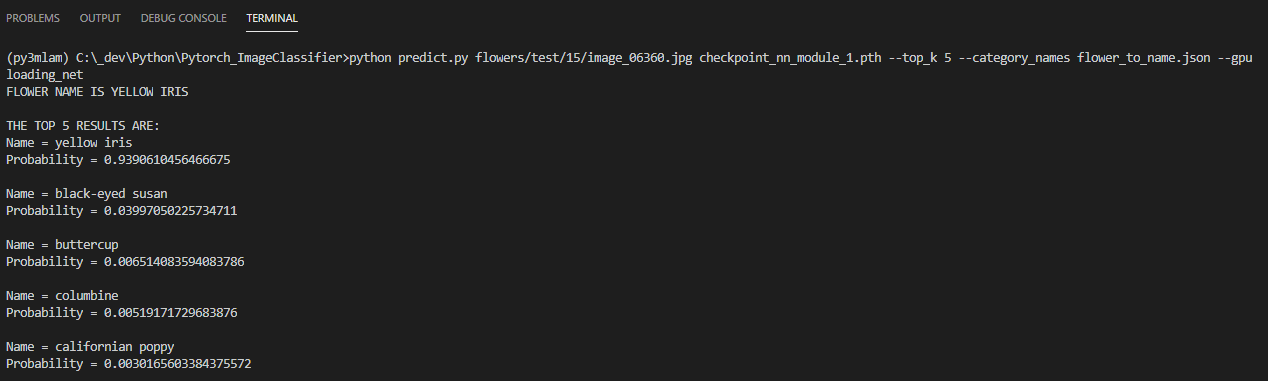
- Predict flower name from an image with
predict.pyalong with the probability of that name. That is, you’ll pass in a single image/path/to/imageand return the flower name and class probability.- Basic usage:
python predict.py /path/to/image checkpoint - Options:
- Return top K most likely classes:
- python predict.py input checkpoint –top_k 3
- Use a mapping of categories to real names:
- python predict.py input checkpoint –category_names cat_to_name.json
- Use GPU for inference:
python predict.py input checkpoint --gpu
- Return top K most likely classes:
- Basic usage:
- Train a new network on a data set with train.py :
.Test command line application-
Recently in Portfolio
- [K]ernels

- Nike A.I.R Prototypes

- [A]nisochromatic Meshing
- Nike After Dark Tour

- PARAPRAXIS
- [001.HRR] CONCEPT BIKE
- 2040:LUNAR.OUTPOST[a]
- HE.6 2020 Prototype

- CULEBRA.NET
- PYTORCH-CLASSIFIER
- Nike Zoom Superfly Elite

- BENGBU CITY OPERA
- Nike Footscape Flyknit DM

- Jordan Hyperdunk React

- KA-HELMET
- [C]ucarachas
- [S]eeker
- [O]h Baby
- [E]l Papa
- [S]hatter.Brain
- [S]tigmergy
- [F]orces
- CULEBRA.JAVA

- [C]ulebra.MultiBehaviors
- [S]ticky Stuff
- [S]entinels
- [G]allopingTopiary
- RELUXOED
- [SRC] . Semi Rigid Car
- [P]erlin
- [E]ternal Wanderers
- [W]heelie
- [S]labacube

- [M]esh Crawlers
- [L]a Silla
- [3]D BabyMaking Trackstars
- [3]D Trackers
- [2]D BabyMaking Trackers
- [T]rackers
- CULEBRA GRASSHOPPER
- culebra.[M]eshCrawlers.3D
- culebra.[H]ybrid.3D
- culebra.[F]lorgy
- culebra.[F]ockers.3D
- culebra.[F]ockers.2D
- culebra.[N]oisey.3D
- [E]l Nino
- culebra.[S]elfOrg
- [D]rippin
- culebra.[N]oisey.2D

- [C]reepyCrawlers
- [J]eepresesCreepers
- [T]2000
- PUFFER PLEATNESS
- EMERGEN[CY]
- [L]iquified
- [S]uckedComp

- [X]plosion
- MR. EW
- [H]airGoo
- [B]alled
- [n]injaStars
- [b]loomer
- [t]rip city
- TAPE GUNNED
- [B]oom

- [M]iller Time

- [D]elamjam
- [B]rain Zapper
- [B]ig Bird
- [E]gg Tube Pavillion
- [A]llice’s Easter Tree
- [S]weet Honey
- [U]M.Urgent
- [t]oo.urgent
- [B]onnie..+..Clyde
- [B]io Mess
- [EL]Mojado.Virus
- [W]HAT the …!
- [H]ot Lava
- [P]leat Diddy

- [t]erminator easter egg
- Mr. BB
- [B]less You
- [F]antastic + Interactive
- [S]oo_Minimally_Pathed
- [P]uffer Fish.Fab
- [M]an Eater
- [AHH] Alien House Hunters
- [W]eave Machine
- Sportbike Racing
- Grappling

- Kart Racing

Leave a reply